
Midmap for Mac is now available
Published
If you use agent apps like Codex, Claude Code, or WorkBuddy, you may know this feeling:
Conversations keep getting longer. Ideas and conclusions start to overlap. There is more information, but the discussion gets harder to keep on track.
If you have been there, try Midmap, an information canvas designed for working with AI agents.
1. Why a canvas?
Once a conversation with an agent gets long enough, reading and understanding it becomes the bottleneck.
Going through it line by line can be discouraging, but you worry that key details may be buried somewhere.
The agent’s response may miss the mark, yet still contain a few useful ideas.
What if a tool could organize the conversation so you could scan the structure first, then read the parts that matter to you?
I ran into this kind of situation while using Codex.
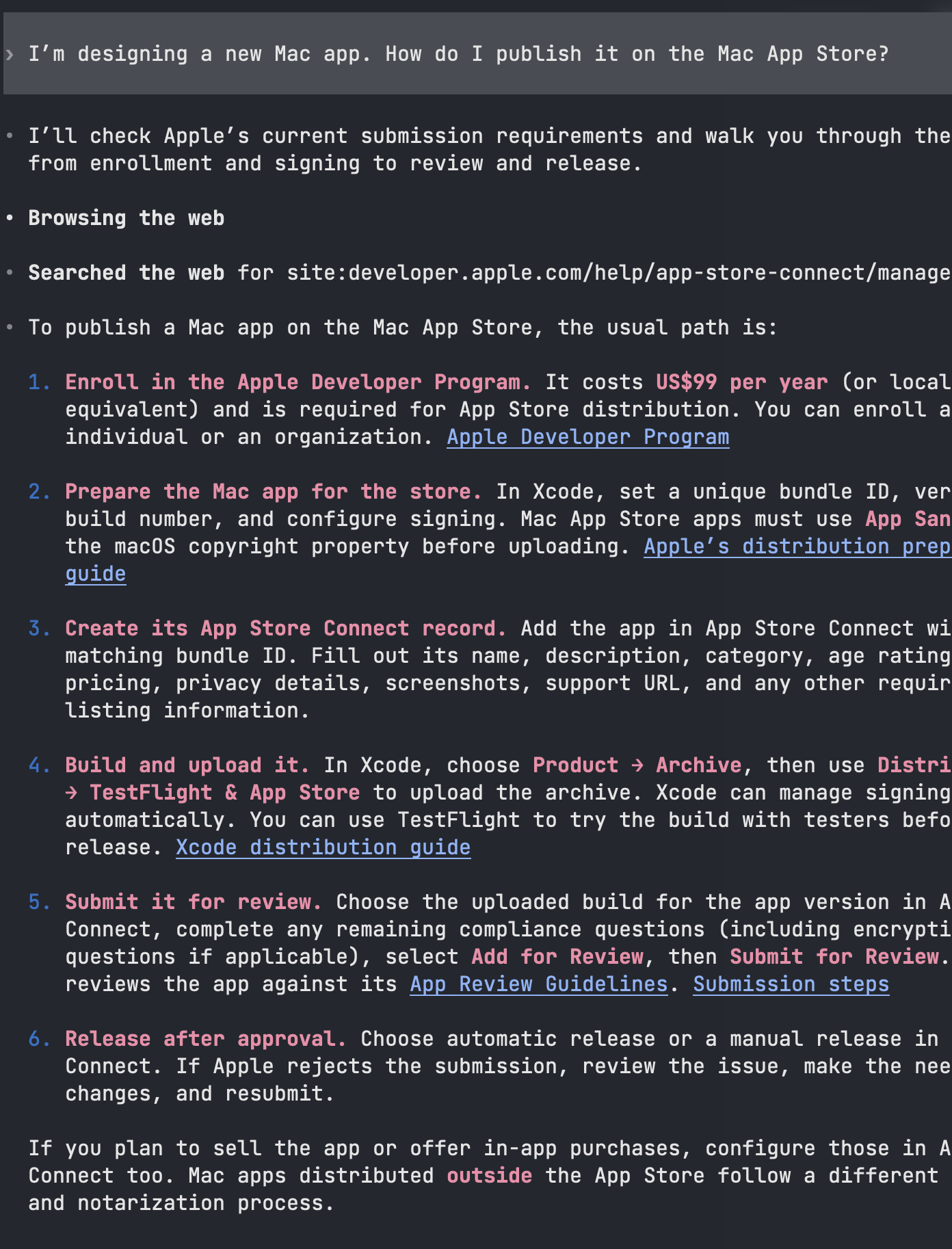
If you have Midmap installed, you can ask your agent:
Create a Midmap board and organize the conversation in it.
You will see the information arranged as a board in Midmap.
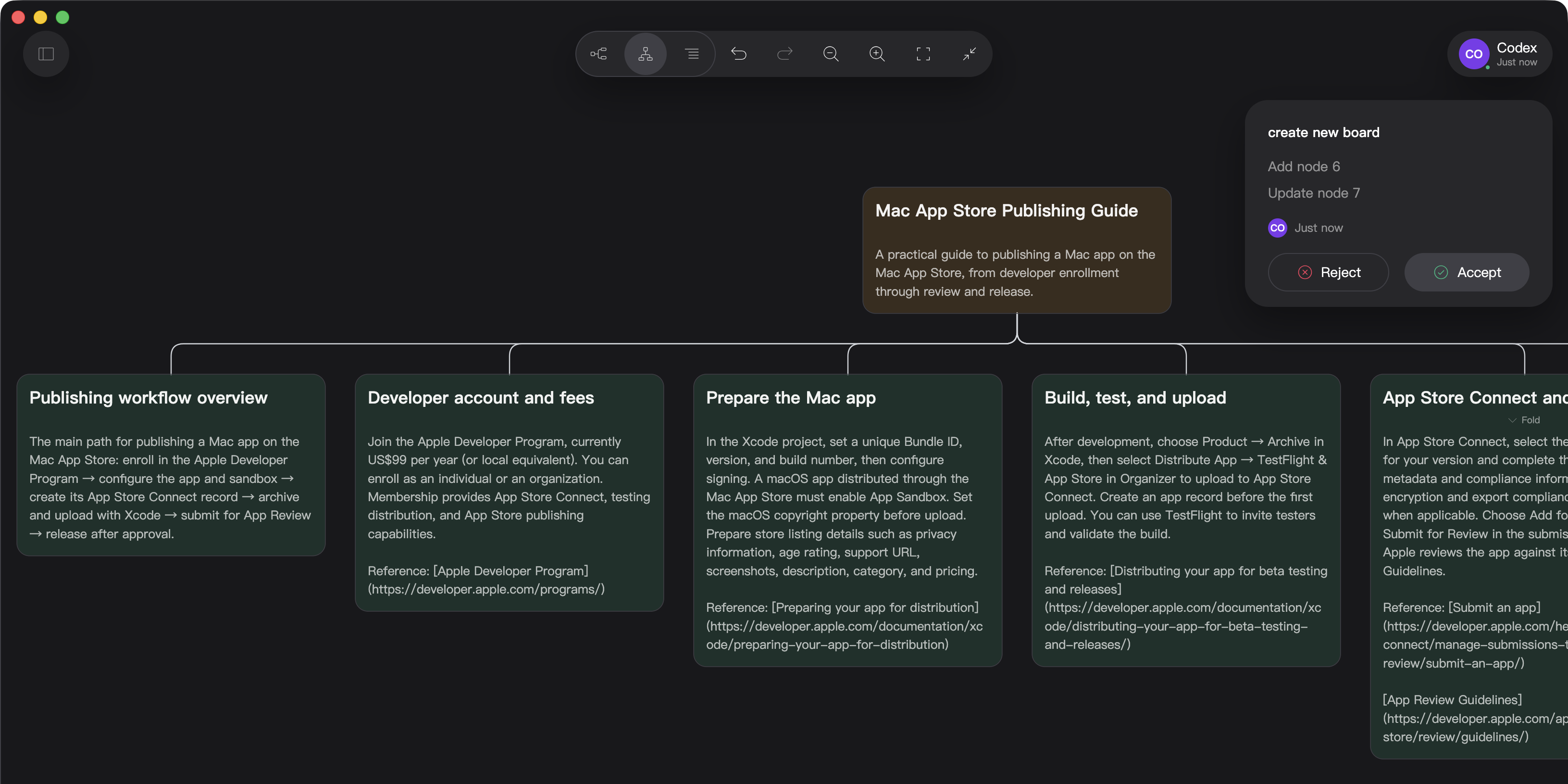
This is one of Midmap’s main uses: organizing information into a structured, interactive canvas.
Each content block becomes a node that holds a self-contained topic.
Browse the titles to get a quick overview, then read more about the topics that interest you.
Your agent does the organizing. Midmap presents the information in a format that is easier to browse.
2. How to work with an agent
Browsing is only the beginning. You want to keep gathering information, thinking, making decisions, and getting things done.
Once your information board is in Midmap, you and your agent can keep discussions grounded in its content.
You can leave your agent a message on a node.
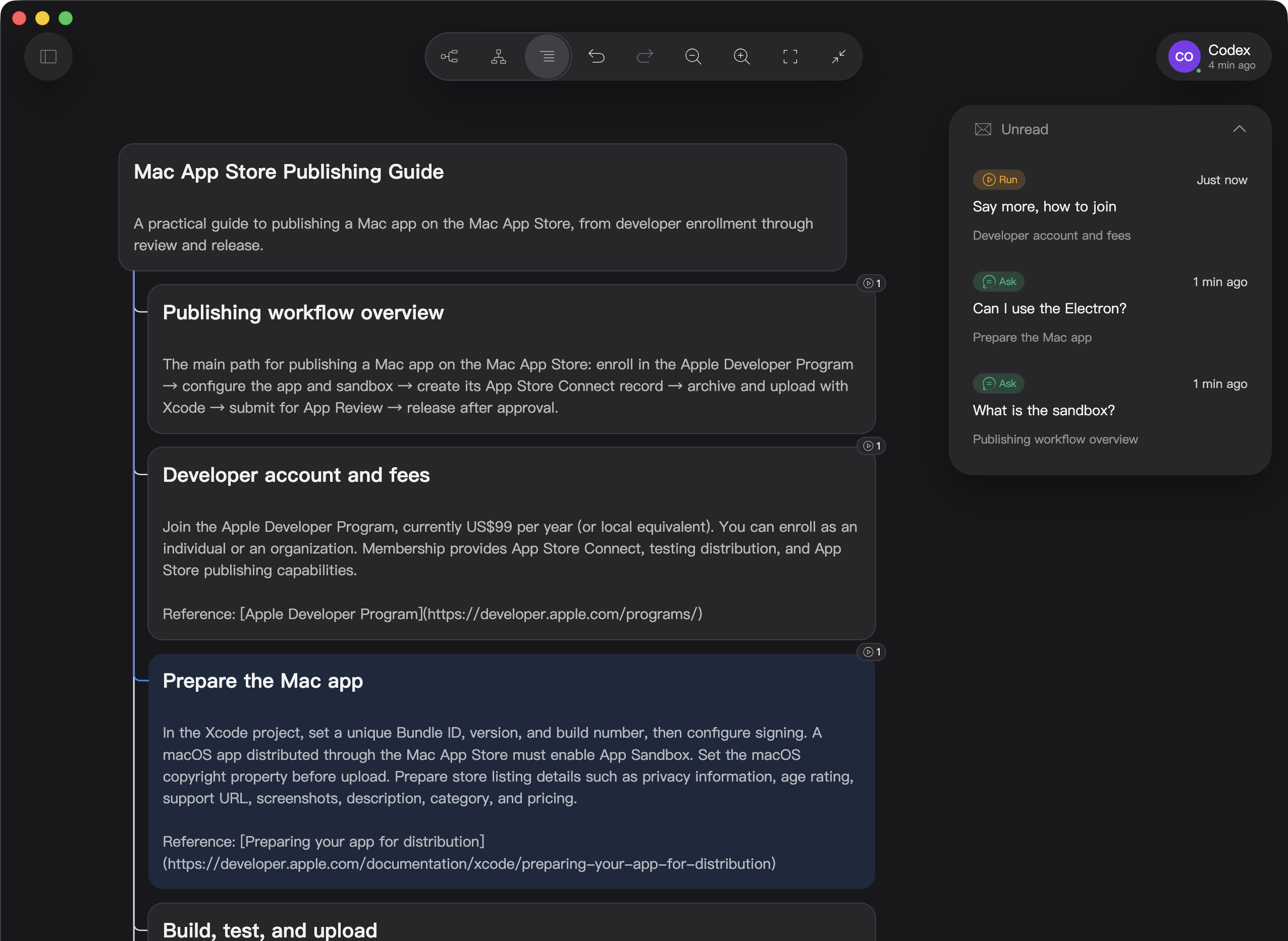
To fit the way people work, Midmap has two kinds of node messages:
- Ask is for questions, clarification, or discussion. It does not ask the agent to change the board.
- Run asks the agent to make a specific change to the board.
You can keep messages short in their respective input fields without worrying that the agent will mistake what you mean.
When the agent reads the messages in its conversation, it replies to Ask messages and carries out Run messages.
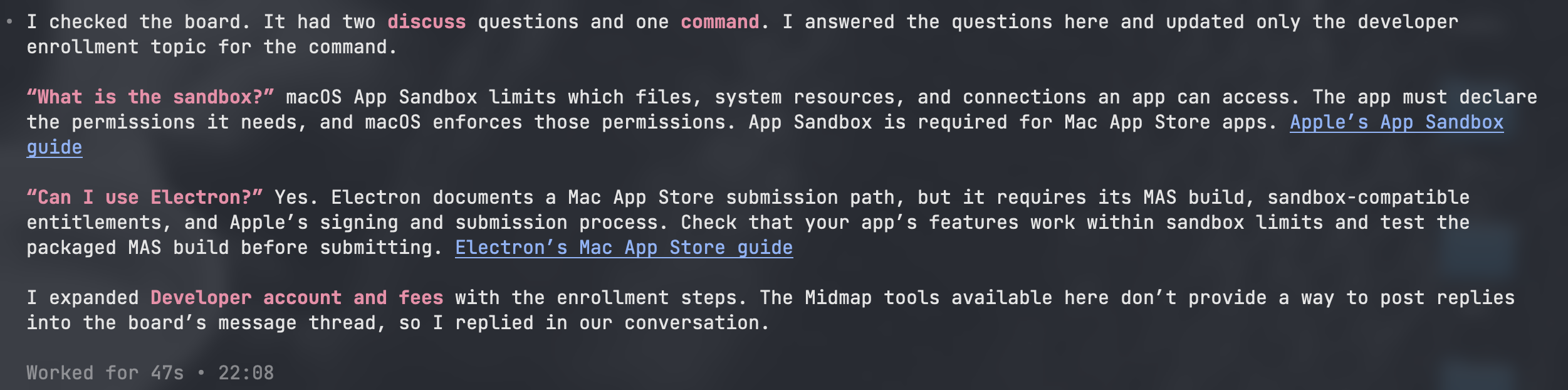
Together, these create a continuous loop:
- The agent provides the output.
- You review and annotate it.
- The board records conclusions and becomes the starting point for the next discussion.
As its name suggests, Midmap is the map in the middle of your collaboration.
3. What did the agent change?
If you have ever asked an agent to revise an article, you may know the frustration:
- You ask it to adjust the wording, and it rewrites the paragraph.
- You ask it for a better opening, and it quietly changes the ending.
- You start writing increasingly defensive prompts, and lose the pleasure of asking for exactly what you need.
In Midmap, changes an agent makes to the board are handled separately.
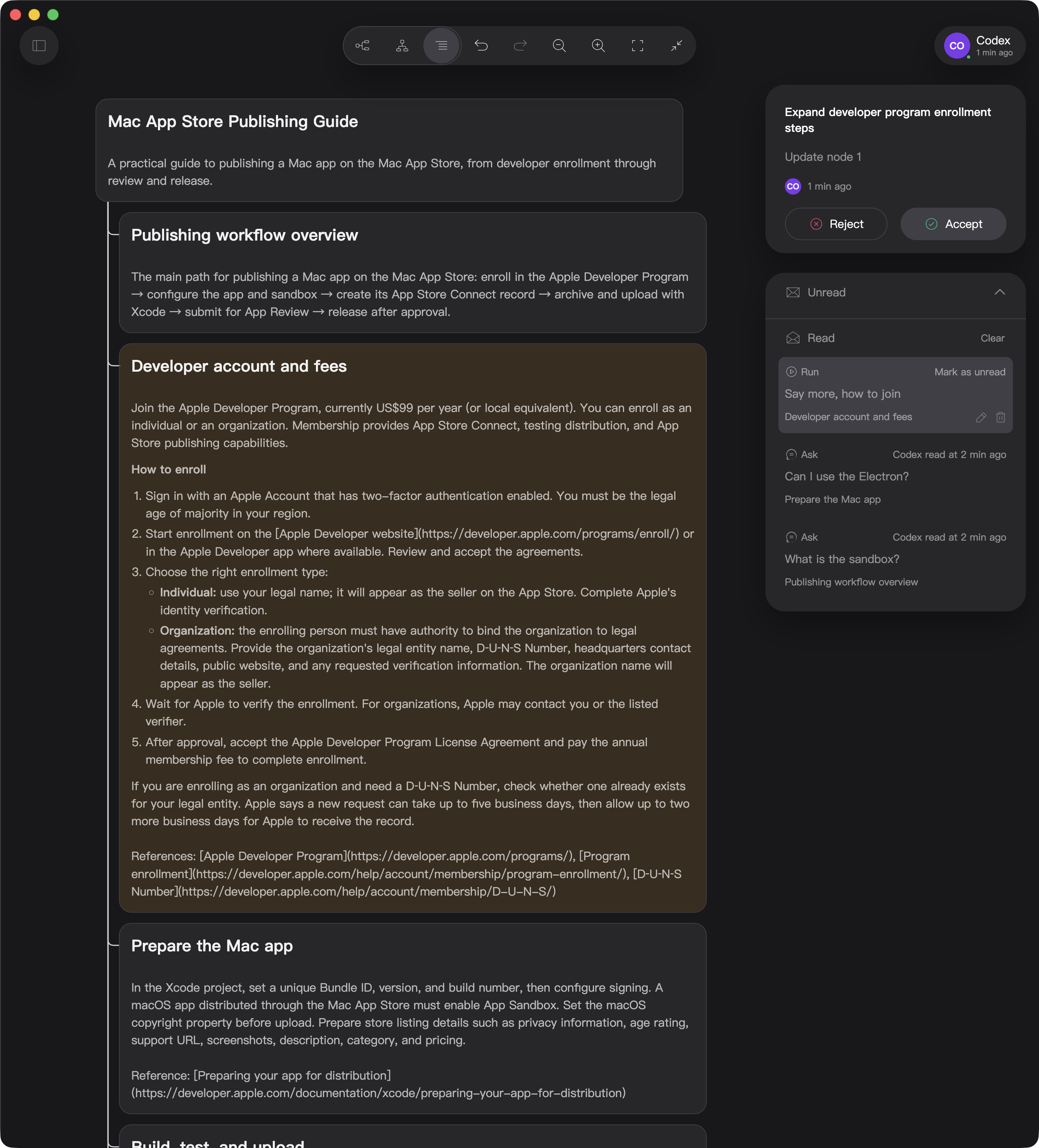
A change summary appears in the upper-right corner, explaining why and where the agent made changes. Choose Accept to keep the changes or Reject to undo them.
Each changed node also gets its own color marker:
- Green: a new node or one moved under a different parent
- Orange: a modified node
- Red: one of the node’s child nodes was removed
If you have enough screen space, you can keep Midmap on one side and your agent app on the other.
After each instruction, watch the nodes grow on the canvas. Browse freely, or interrupt the agent at any time.
Midmap is designed for browsing and review, so you can stay in control while you think and create.
4. Your agent can use Midmap too
If you have read this far, you probably already use an agent app regularly.
If your agent app supports the standard MCP protocol, you can connect Midmap to your workflow.
Midmap does not include its own agent or AI model calls, so it adds no extra AI usage costs.
Your board data stays on your computer and is not uploaded to a server.
There are no hidden charges or data leaks. From the moment you install it, Midmap belongs to you.
5. Why build Midmap?
Working with agents is not always easy.
Long context does not just live in a conversation. It also takes up your memory.
Defensive prompts written to keep an agent from making mistakes can drain your judgment.
A runaway agent task can wear down your confidence and patience.
Although Midmap is a productivity tool built around agents, it does not make them more intelligent.
Midmap aims to save you time browsing information, and ease the unease of trying to get work done while watching out for an agent to go off track.
6. Where can I get Midmap?
Midmap for Mac is now available on the Mac App Store.